

Dynamics 365 Translation Service – Capabilities and Limitations
Microsoft Dynamics 365 is used in global, multilingual environments.
Multiple languages are supported, localized labels can be defined, and users can work in their preferred UI language.
From a technical perspective, translation is not the problem.
In practice, however, managing translations in Dynamics 365 often becomes complex, fragmented and difficult to maintain over time.
How translation works in Dynamics 365
Dynamics 365 stores translations as localized labels within Dataverse metadata.
These labels are linked to tables, columns, forms, views and other UI components.
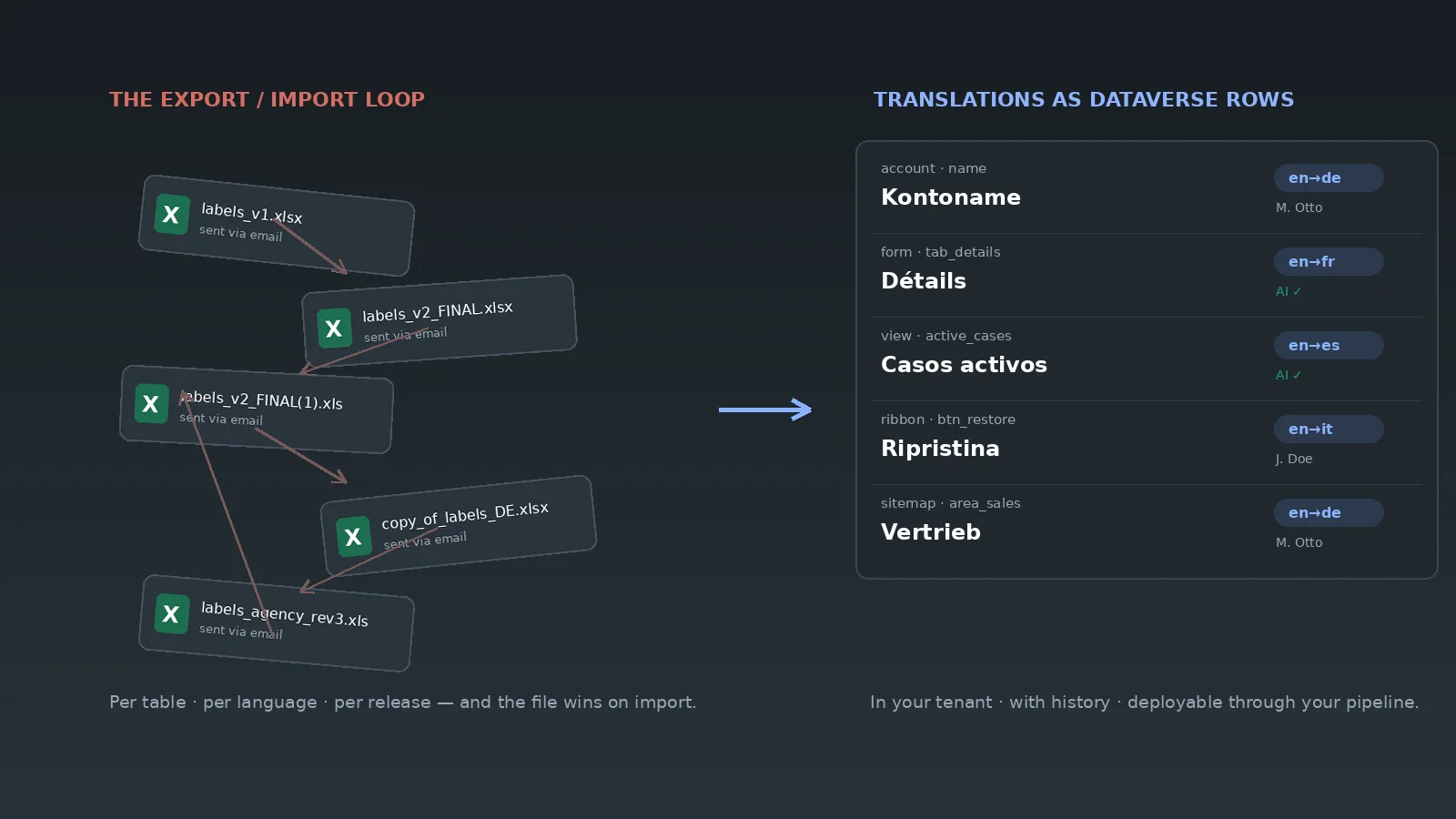
Translations are maintained through a solution-based translation export and import mechanism:
- A solution is selected
- The translations belonging to that solution are exported
- Labels are edited externally
- Translations are imported back into the environment
Only translation data is affected — the solution structure itself remains untouched.
This approach is technically sound and fully supported by Microsoft.
Where translation management becomes challenging
While the underlying mechanism works reliably, it introduces structural limitations once environments grow.
Typical challenges include:
- Translations are edited outside the system, without UI context
- Forms, sections and subgrids are not visible during translation
- Changes are handled in batches rather than incrementally
- Coordination between developers, admins and translators is required
- Ongoing maintenance becomes increasingly difficult
As a result, translation often turns into a deployment-related task instead of a controlled operational process.
Translation is not the issue – management is
Dynamics 365 already provides everything needed to display multilingual user interfaces.
What is missing is a layer that supports:
- Continuous translation maintenance
- Structural context
- Transparency and control
- Long-term scalability
In other words:
Dynamics 365 solves translation technically — but not operationally.
In-system translation with xRM Translation Studio
xRM Translation Studio was built to close this gap.
Instead of working with exported translation files, translations are managed directly inside Dynamics 365, against live metadata and with full UI context.
The existing Microsoft translation mechanism remains unchanged.
xRM Translation Studio adds clarity, visibility and control on top of it.
Translations are no longer detached from the system — they become part of the configuration process itself.
When an in-system approach makes sense
An in-system translation approach becomes essential when:
- Multiple languages are actively maintained
- UI components change frequently
- Managed solutions are used
- Translation is an ongoing task rather than a one-time activity
In these scenarios, external translation files quickly become a bottleneck.
Conclusion
Dynamics 365 provides a solid technical foundation for multilingual user interfaces.
However, as environments scale, translation evolves from a technical feature into an operational responsibility.
And operational responsibilities belong inside the system.
That is exactly where xRM Translation Studio fits.
Want the fundamentals first? Translation in Dynamics 365 – the overview in our xRM Insights